Renaming a few files manually is easy. Renaming an entire folder is where it starts to become repetitive.
This demo shows how Compose & Send in KeyCmd can transfer a prepared command from a phone to Windows CMD through KeyMod, avoiding the need to retype the entire command on the target computer.
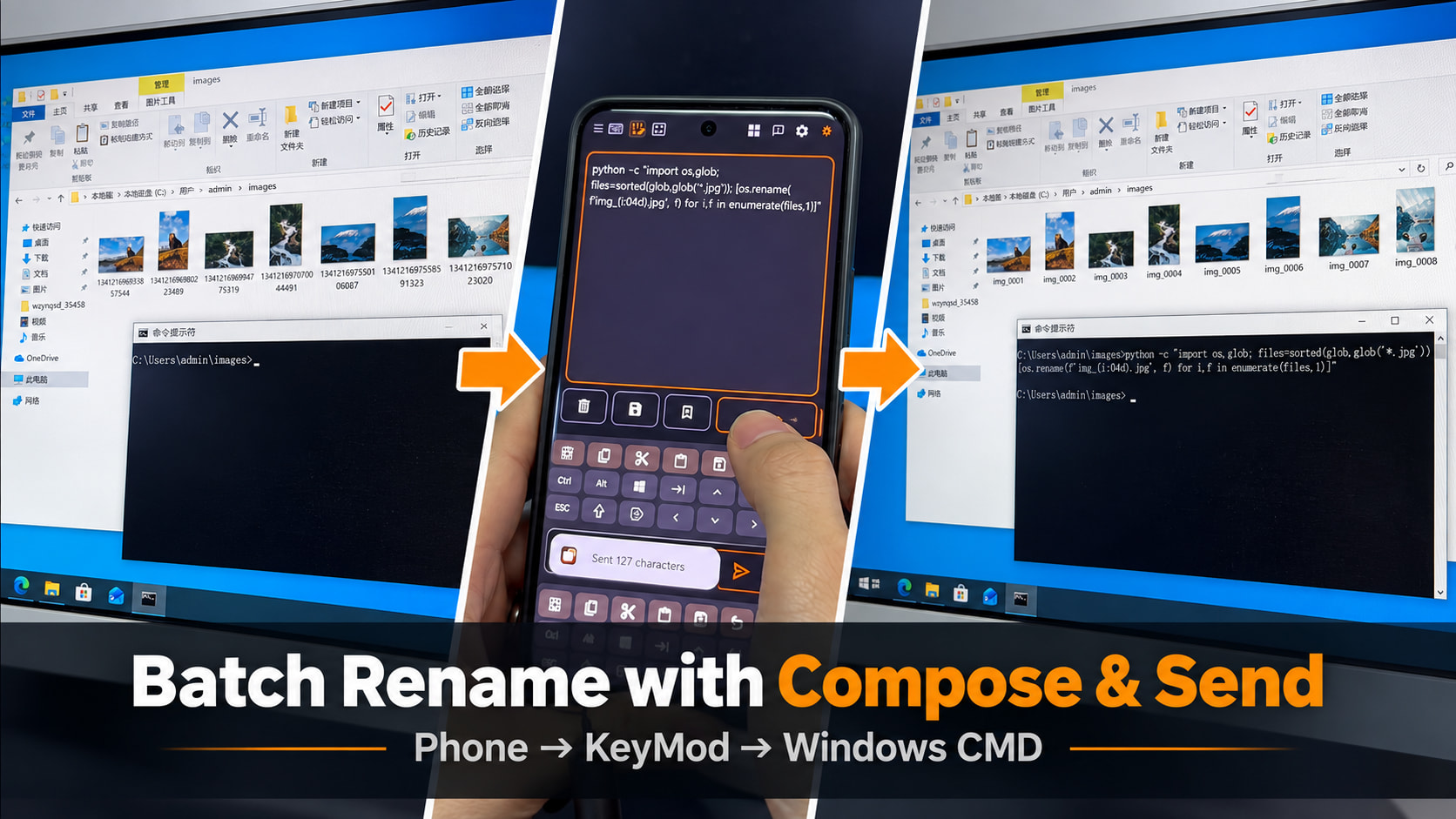
Prepare the command on your phone, send it through KeyMod, and run it in Windows CMD.
Watch the full demo on Instagram
What Happens in This Demo?
The Windows folder initially contains several JPG images with long and inconsistent filenames.
A one-line Python command is prepared on the phone and copied into Compose & Send:
python -c "import os,glob; files=sorted(glob.glob('*.jpg')); [os.rename(f, f'img_{i:04d}.jpg') for i,f in enumerate(files,1)]"
After confirming that the Windows CMD window is active, the command is sent through KeyMod.
KeyMod behaves as a standard USB HID keyboard, so the Windows computer receives the content as ordinary keyboard input. The command is then executed in the current image folder.
The files are renamed sequentially:
img_0001.jpg
img_0002.jpg
img_0003.jpg
...
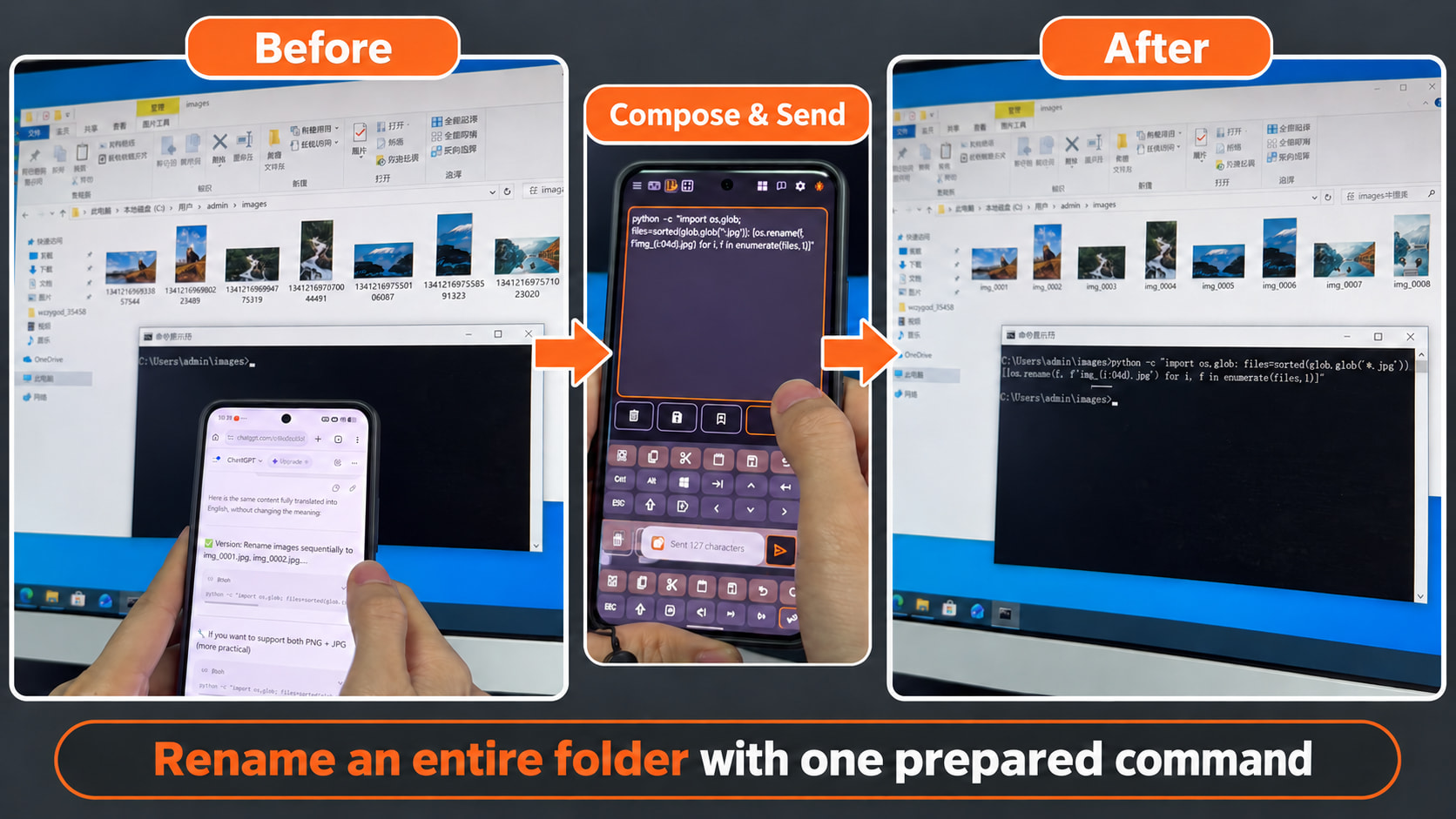
The original filenames are replaced with clear, sequential names.
Why Use Compose & Send?
Commands like this can include brackets, quotation marks, file extensions, and other characters that are easy to mistype.
Compose & Send allows you to prepare and review the complete command on your phone before sending it to the target computer. The target machine does not need KeyCmd, additional drivers, shared clipboard access, or a network connection for the text input.
This can be useful for:
-
Batch file operations
-
Repeated setup commands
-
Development and maintenance tasks
-
Computers without convenient copy-and-paste access
-
Long commands containing complex symbols
Before Running a Batch Command
Always check that CMD is open in the correct folder and review the command before executing it.
This example only processes files ending in .jpg and requires Python to be available on the Windows computer. When working with important files, test the command on copies or make a backup first.
What repetitive command or task would you use Compose & Send for?