Imported from Discord — originally posted by rre on 7 April 2025.
Source: Discord
Hi,
On one of our Openterface, a colleague of mine attempted a firmware update from OpenterfaceQT.
The firmware update process failed during the process with an error about EEPROM write error.
Now, when we try to restart the update procedure, the detected firmware is version 00000000 and the process fails just after starting with theses logs in openterfaceQT:
[2025-04-07 15:54:16.321][140159446152768] [D][default]: Failed to open HID device ( "" ). Error: No such file or directory
[2025-04-07 15:54:16.321][140159446152768] [D][default]: Retrying sendFeatureReportLinux...
[2025-04-07 15:54:16.321][140159446152768] [W][default]: Failed to write chunk to address: "0x0000"
[2025-04-07 15:54:16.344][140160510779840] [D][default]: Firmware write  failed
From the main openterfaceQT window, no image is available when connected to a target computer but new /dev/videoX devices appear when connected.
Is there a procedure to unbrick the openterface from this state?
Staff: please reply here. When resolved, consider linking back on Discord to drive users to the forum.
Originally posted by ianchow on Discord, 13 May 2025.
In the latest version of QT, we’ve updated the logic for detecting devices, which should now allow you to flash the latest firmware without issues. Please give it a try!
On Ubuntu 24.04 the AppImage crash on start, I had to use the .deb
AppImage output:
[2025-05-14 09:27:21.290][135907501648000] [D][opf.host.layouts]: Loaded layout from resources: "German QWERTZ"
[2025-05-14 09:27:21.290][135907501648000] [D][opf.host.layouts]: Finished loading layouts. Total layouts loaded: 7
[2025-05-14 09:27:21.293][135907501648000] [D][opf.core.host.audio]: AudioManager init...
[2025-05-14 09:27:21.295][135907501648000] [W][default]: could not load multimedia backend "ffmpeg"
[2025-05-14 09:27:21.295][135907501648000] [F][default]: QtMultimedia is not currently supported on this platform or compiler.
Aborted (core dumped)
Originally posted by ianchow on Discord, 15 May 2025.
Thank you for your reply!
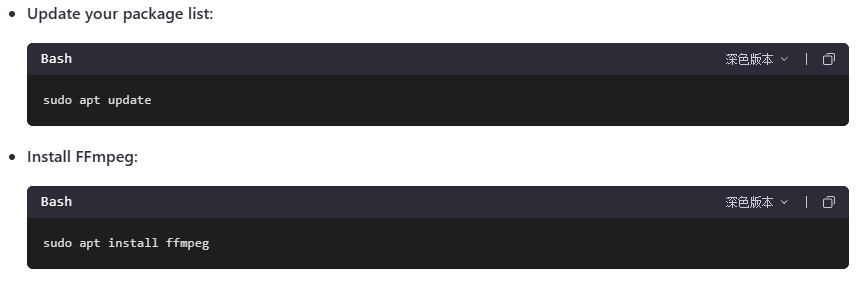
We haven’t tested this specific scenario, but the issue might be caused by missing FFmpeg libraries. It could be helpful to try installing FFmpeg manually.