Imported from Discord — originally posted by Virtual-Potato on 12 February 2026.
Source: Discord
The Switchable USB Port stops working as soon as the Openterface app is opened. Before it’s open, it seems like the USB port sorta works, but not fully. I’m observing strange behavior here, as it seems like USB devices will only partially function, but may behave unexpectedly.
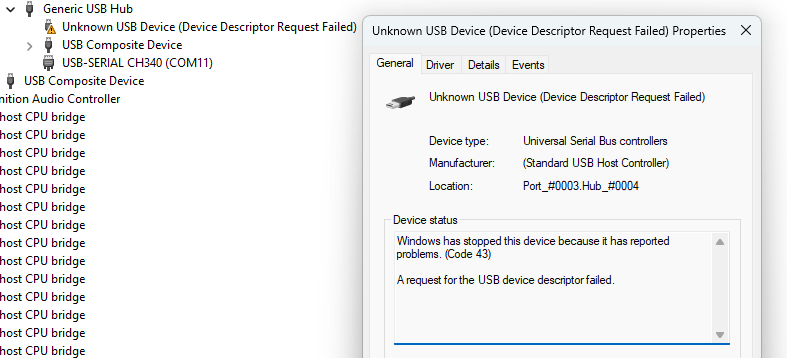
However, once the Openterface app opens, the USB device immediately and completely disconnects from the host device, and will not get reconnected even if the Openterface app is closed afterwards. On windows, I will get an alert saying that the USB device I’ve connected isn’t recognized right after the Openterface app is opened.
The only way to restore this connectivity is to manually disconnect and reconnect the host USB cable, while making sure the Openterface app remains closed.
This behavior happens on both Windows portable version, and on the Android Openterface apps.
Staff: please reply here. When resolved, consider linking back on Discord to drive users to the forum.
Originally posted by Virtual-Potato on Discord, 12 February 2026.
A lot of other things aren’t working properly too - it seems like the portable windows app is very buggy.
I just thought I’d start with the switchable USB port first, because it’s not working for me on both Windows host devices, and on Android host devices.
Originally posted by Virtual-Potato on Discord, 14 February 2026.
previously, the behavior I had observed is that the USB Device would stop working completely until the cable between the hub and the host port on the openterface was disconnected and reconnected.
This doesn’t seem to be the case now, but the USB device will stop functioning as soon as the app is opened
Originally posted by Virtual-Potato on Discord, 14 February 2026.
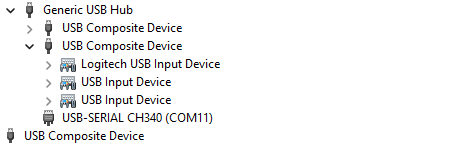
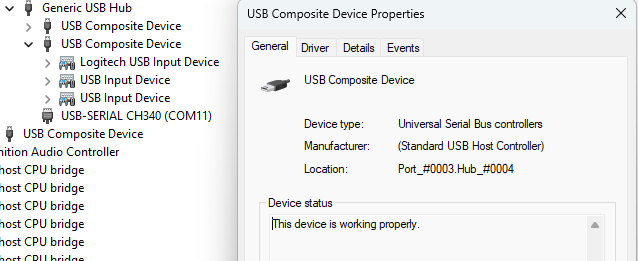
but once the app is closed, it apparently disconnects from the openterface device, which causes everything to get re-enumerated, and then the USB Device is visible once again.
Originally posted by Virtual-Potato on Discord, 14 February 2026.
I have placed an USB power monitor between the powered USB Hub and the openterface host port, and I am seeing the following power readings:
V-: 0v
D+: 0.12v
D-: 0.12v
V+: 5.21v
Power draw is 0.20A / 1.02w with nothing connected on any of the target ports (Target USB-C, Target Input, and Target Switchable USB 2.0)
Plugging in a YubiKey causes the current draw to increase to 0.22A / 1.12w.
Plugging in a Logitech Unifying USB receiver causes the current draw to increase to around 0.22 to 0.23A / 1.14-1.18w
Plugging in an USB ethernet NIC causes the current draw to increase to 0.30-0.31A / 1.57-1.59w
These are all measurements without the Openterface app open.
Originally posted by Virtual-Potato on Discord, 14 February 2026.
Connecting the USB ethernet NIC also causes the V+ line to drop its voltage slightly, from 5.21-5.22v to 5.19v - I don’t think this is a significant enough drop IMO
Originally posted by Virtual-Potato on Discord, 14 February 2026.
Looking in the Windows Device Manager, you can adjust the view by changing the default view to “Devices by Connection” which will give you a hierarchial view of how things are connected to the computer, what devices are between each other, and whatnot.
When the openterface app is opened, the device manager page refreshes and re-enumerates all devices, and ends up failing to recognize the device. This is what shows up for me
Originally posted by Virtual-Potato on Discord, 14 February 2026.
After some more testing, I was able to determine that it was the Openterface App that has been causing issues with the Switchable USB port.
Every version of the Openterface portable app that I’ve tested so far, going back all the way to v0.3.1 causes the Switchable USB port to lose power and stop working immediately once the app is opened.
There are only TWO exceptions:
Openterface Windows Portable App version 0.3.19
Openterface Windows Portable App version 0.4.3
These are the two versions of the app that do not cause the Switchable USB port to lose power once the app is opened.
on 12 February 2026.