Originally posted by Virtual-Potato
on Discord, 23 May 2026.
hm, I think I might know why it’s not installing the proper driver
Originally posted by Virtual-Potato
hm, I think I might know why it’s not installing the proper driver
Originally posted by Virtual-Potato
I’m going to check a few things first to confirm my theory
Originally posted by Virtual-Potato
@Jayy 
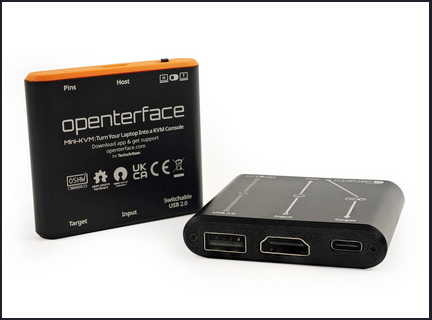
 just to confirm, you have the openterface mini-KVM, not the KVM-GO device, or something else?
Originally posted by Virtual-Potato
The screenshot you shared from earlier shows that this device’s USB VID is 1A86 (expected) and USB PID is FE0C (maybe unexpected)
The current USB ID repository for the CH340/CH341 USB-to-Serial chip only lists VID of 1A86 and PID of 7523. It does not have an entry for a device with a PID of FE0C.
What I suspect is happening is that Windows is detecting this as a generic USB Serial Device, because there is no existing driver that matches the same USB VID/PID. However, since it presents itself as a serial device, Microsoft “helpfully” installs and uses the default usbser driver that they publish.
Can you go through the same driver installation process like you did initially, by unchecking the “Show Compatible Hardware” and then manually selecting the “USB-SERIAL CH340” driver (instead of the CH341 one that you tried before) and see if this works?
Originally posted by Virtual-Potato
I’m just a random guy who’s trying to help troubleshoot this. I’m not one of their team members - but the TxA team are probably the only ones who can answer why this device is presenting themselves with a VID of 1A86 and PID of FE0C, especially when this particular USB VID/PID combination isn’t listed anywhere on the current USB ID repository
Originally posted by Virtual-Potato
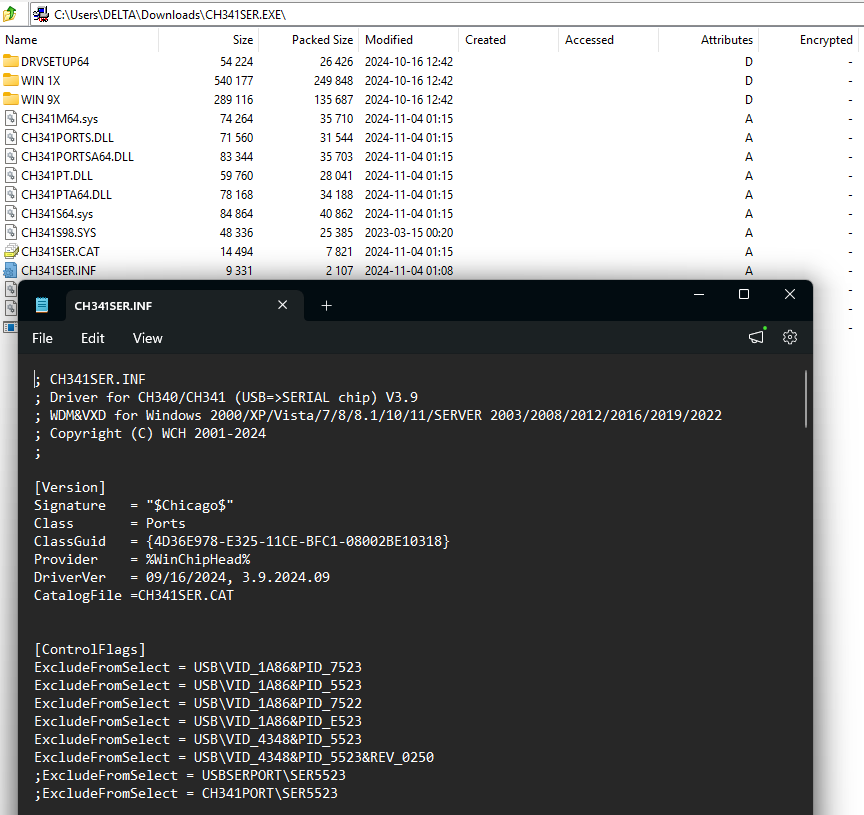
Just to let you know that this driver installer will never work as long as their device is reporting the device USB PID of FE0C, as it’s not listed as one of the valid device identifiers in the INF file.
For VID 1A86, there are only four valid PIDs (5523, 7522, 7523, E523), and FF0C is not one of them. Looking at the Linux driver, it reports the same thing - FE0C is not listed as a valid PID as well.
If this is an official WCH chip, then the TxA team will need to contact WCH and ask them to update their driver and add FE0C to their list of PIDs for the CH340 chipset. If this is a custom PID that was specifically set and assigned to openterface devices by the TxA development team, then they will need to find a different approach to get the appropriate device drivers installed for this device.
Originally posted by Virtual-Potato
You can see this being the case for the WCH published linux drivers that Openterface_QT includes in their software: Openterface_QT/driver/linux/ch341.c at main · TechxArtisanStudio/Openterface_QT · GitHub
Openterface_QT/driver/linux/ch341.c at main · TechxArtisanStudio/O…
Openterface Mini-KVM: Host Applications for Windows and Linux - TechxArtisanStudio/Openterface_QT
Originally posted by ianchow on Discord, 24 May 2026.
Thanks @Virtual-Potato I’m sorry that I made a wrong judgement. I didn’t look at the pid vid carefully. It may be a problem that the firmware is not flash correctly.
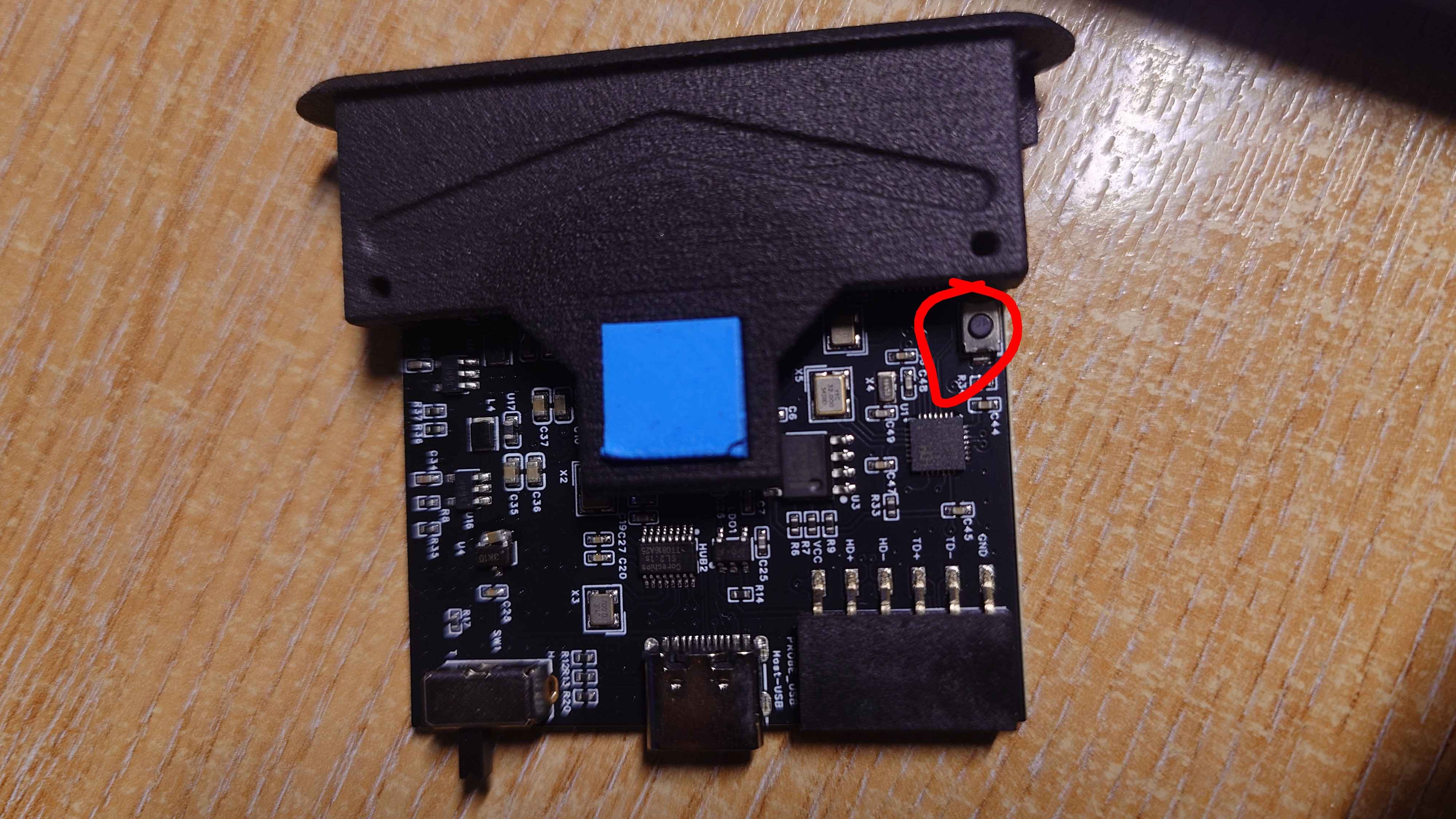
@Jayy You can reflash WCH firmware by our software , but you need to get the circuit board out and press a button inside, we will take a video to guide you doing this, you can complete in 15 mins, 
Originally posted by ianchow on Discord, 24 May 2026.
Yeah, but we can’t give you the correct firmware until tomorrow, sorry about that.
Originally posted by Jayy
Okay, that’s not a problem. It’s usable as it is right now using Microsoft’s driver even if that’s not actually the right one.
Originally posted by Jayy
I do appreciate your assistance with this though. I gave this one more try, and yeah, the WCH CH340 driver didn’t work with it, but switching it back to the Microsoft drivers got it working almost instantly after a re-plug.
Originally posted by Virtual-Potato
@ianchow any chance you can share some more context on this particular issue? I tried to find info on this “mode” but I couldn’t really find any info about this particular PID or what this means. Is this a custom PID?
Originally posted by Virtual-Potato
It’s weird, my openterface mini-kvm doesn’t have this button. I looked at the PCBs for v1.6 and v1.9, and neither revision has a button on them either.
v1.6
v1.9
Is this a new revision of the board that hasn’t been published yet?
Openterface_Mini-KVM_Hardware/docs/pcb-v1-6-front.jpg at main · Te…
Openterface Mini-KVM: Hardware Design, Schematics and Components - TechxArtisanStudio/Openterface_Mini-KVM_Hardware
Openterface_Mini-KVM_Hardware/docs/pcb_v1-9.jpg at main · TechxArt…
Openterface Mini-KVM: Hardware Design, Schematics and Components - TechxArtisanStudio/Openterface_Mini-KVM_Hardware
Originally posted by ianchow on Discord, 25 May 2026.
Yes it is the custom pid, We have replaced the original chip with the ch32 series chip that we can develop by ourselves, and we found that it can be used directly without installing the driver.
Originally posted by ianchow on Discord, 25 May 2026.
If the keyboard mouse can use well we can don’t update the firmware.
If can not use keyboard mouse
This the firmware you can download it first
Then i suggest you download the 0.5.22 openterfaceQt
Openterface_assets/src/firmware/miniv2.hex at main · TechxArtisanS…
The openterface website assets. Contribute to TechxArtisanStudio/Openterface_assets development by creating an account on GitHub.
Release v0.5.22 Add charater mask, add wch flash tool · TechxArtis…
 Release Highlights
 New Features
Privacy Mode: Added character masking for the bottom-left input corner to protect sensitive data.
New Tools: Integrated the WCH flash tool for improved device m…
Originally posted by ianchow on Discord, 25 May 2026.
Originally posted by ianchow on Discord, 25 May 2026.
The new chip do not need driver, this the detect bug if using new chip mini-kvm it do not need the ch340 driver.
Originally posted by Jayy
Apologies, I’ve had a busy week and haven’t had much time to troubleshoot. My board revision appears to be V1.1 assuming it’s written on the bottom of the PCB? I can see the WCH CH32V208 (or 203?).
So on my laptop, when I have the Microsoft USB Serial drivers in use, I can see the display input and the keyboard and mouse work on the target device. It appears to me that the software is checking for a specific device, which, if the chip was changed, is no longer on the board. I can use it, it just shows the environment checker every time saying the driver is not installed and prompts you to do so which could be confusing. My Linux install is also doing the same thing, not recognising drivers but working fully.